
Texts from ArknineTCG
Service texts about your own repairs, orders and messages, for account holders who turn them on.
What we text
- ArknineTCG: the restoration queue is open. Submit a card: https://arkninetcg.com/contact?topic=repair Reply STOP to opt out.
- ArknineTCG: an update regarding your order (ARK-123) is waiting for you. Read it at https://arkninetcg.com/account/repairs/ARK-123 Reply STOP to opt out.
- ArknineTCG: your code is 482913. It expires in 10 minutes.
Updates on your repairs and orders read the same way. Message frequency varies. Message and data rates may apply. There is no marketing.
Turn texts on
- Sign in or create an account.
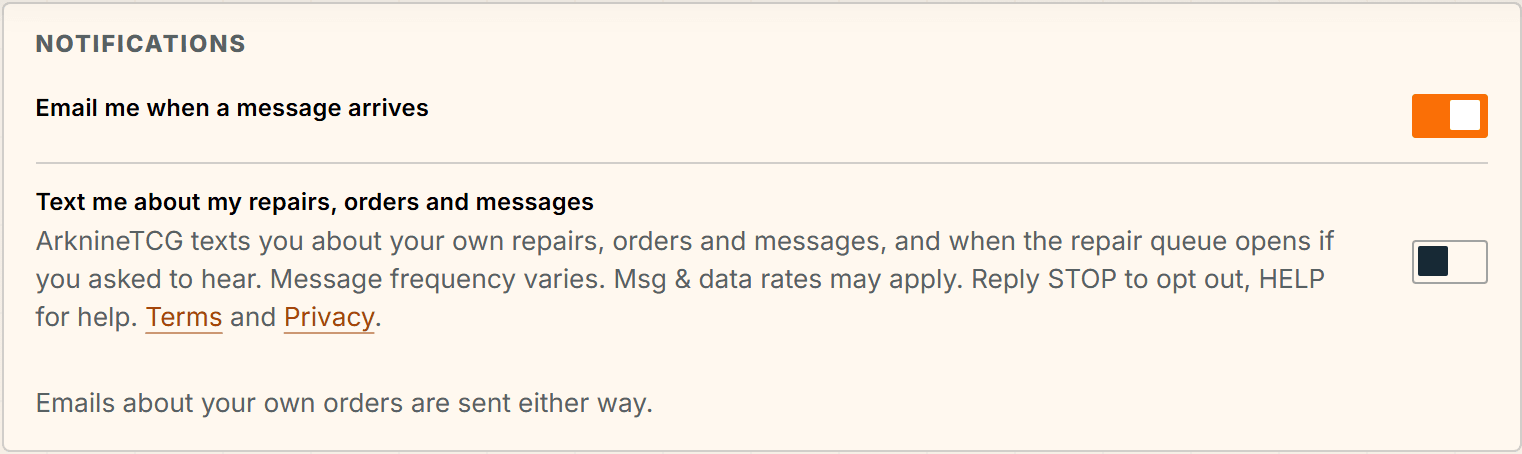
- Open Settings and find Notifications.
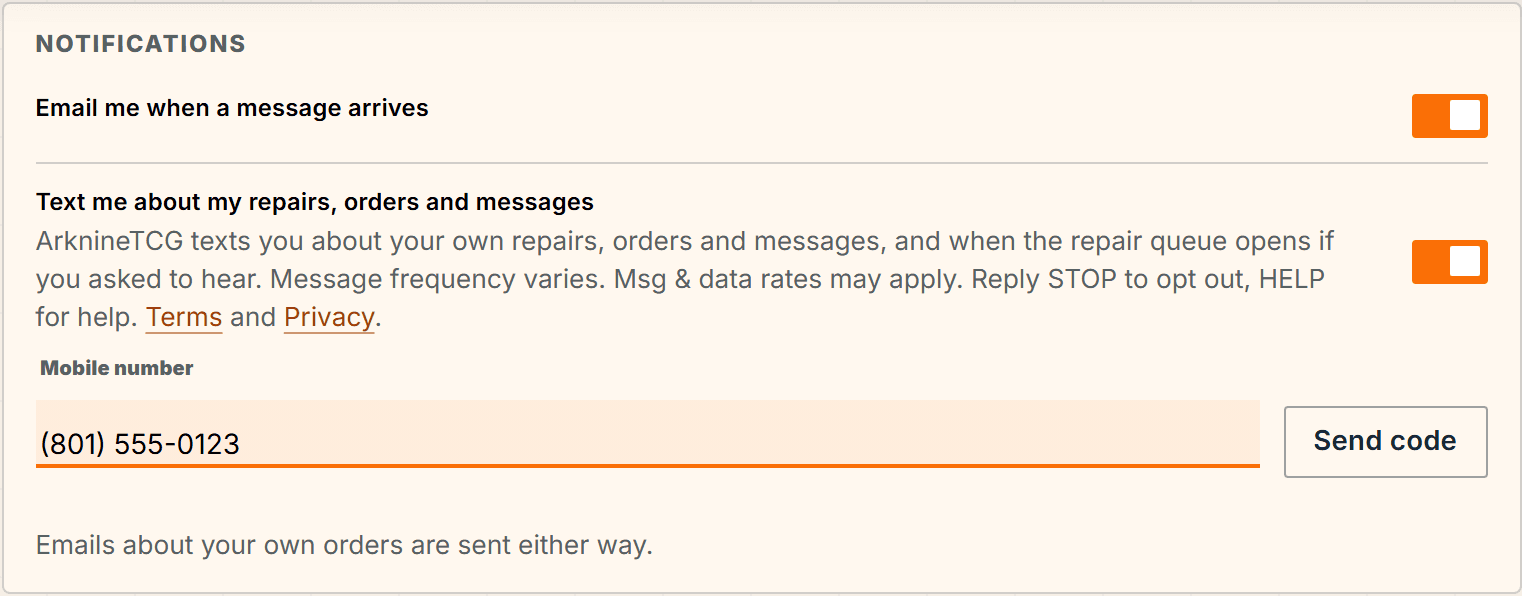
- Read the sentence under “Text me about my repairs, orders and messages” and turn the switch on. It starts off.
- Enter your mobile number, then the six-digit code we text to it. Texts start once the code is confirmed.
Turn texts off
- Reply STOP to any text. You get one confirmation and no more texts.
- Or turn the same switch off in Settings.
- Reply HELP for help, or email arkninetcg@gmail.com.
- Terms of Service and Privacy Policy.